

Appearance
User Provisioning (SCIM)
SCIM (System for Cross-domain Identity Management) lets your identity provider manage EEforce accounts for you: when someone joins, their account appears before they ever sign in; when they change teams or leave, their details or their access are updated automatically. EEforce exposes a SCIM endpoint that Entra ID, Okta and other providers can push to.
SCIM works hand in hand with Single Sign-On (SSO) — provisioned users sign in with single sign-on, so you never create passwords for them.
Licensed feature
SCIM provisioning is a licensed feature. If your licence doesn't include it, the settings page shows a licence notice — contact your reseller to add it.
How it works
- You generate a bearer token in EEforce and give it, together with the SCIM base URL, to your identity provider.
- The provider pushes user changes to EEforce: new accounts are created, name and e-mail changes are applied, and people who leave are deactivated.
- A DELETE from the provider does not erase the account — the user is deactivated instead, so their name stays on everything they did. You can reactivate the account later, or delete it deliberately on the Users page.
- Every SCIM change is written to the Audit Trail.
Setting it up
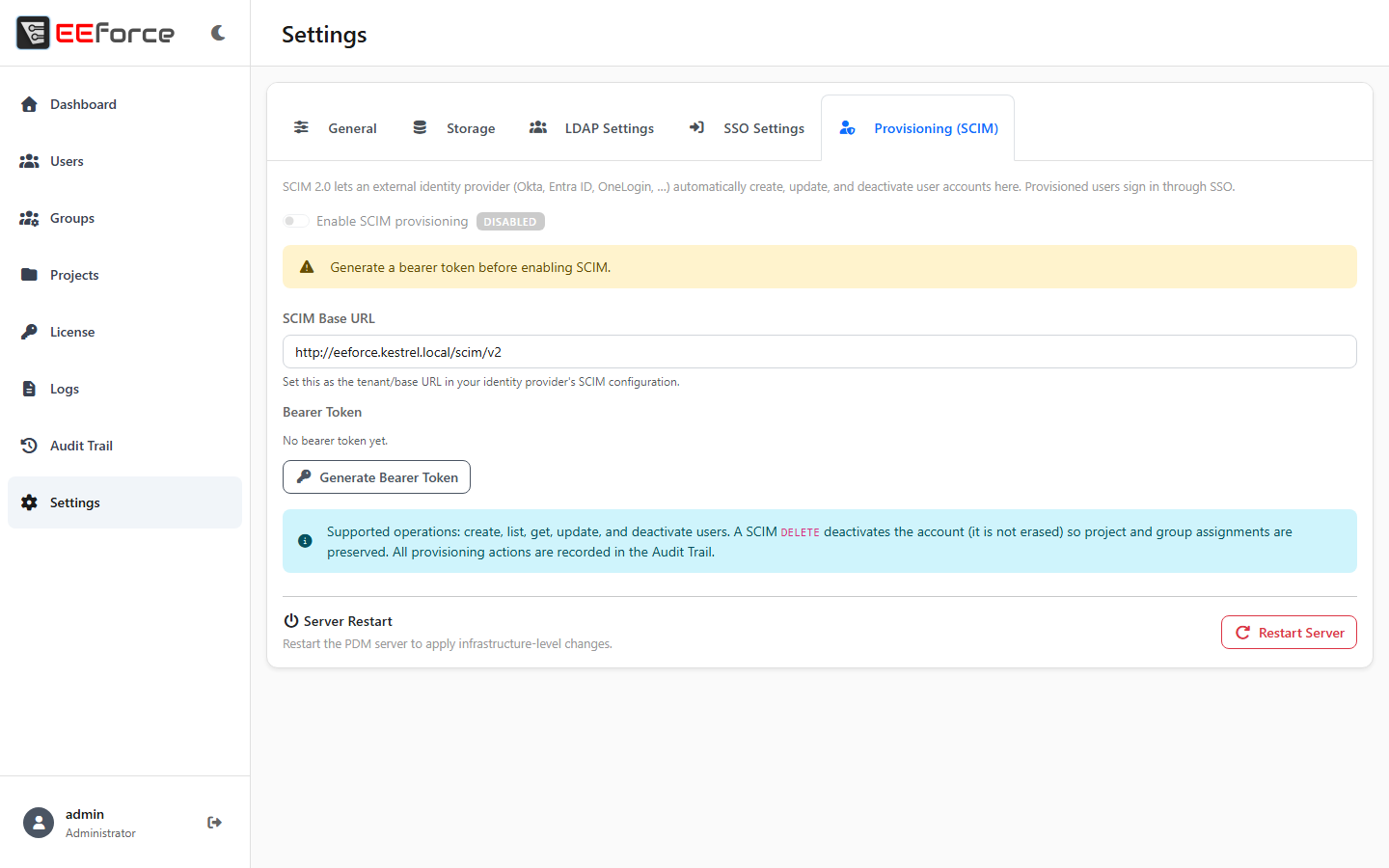
Open the web admin and go to Settings → Provisioning (SCIM).
Click Generate Bearer Token. The token is shown once — copy it now and keep it in your password manager. If it leaks or is lost, Regenerate Bearer Token issues a new one and invalidates the old.
Note the SCIM Base URL (
https://<SERVER-ADDRESS>/scim/v2).Add a provisioning connection in your identity provider:
Entra ID — in the Enterprise Application for EEforce, open Provisioning, set the mode to Automatic, paste the SCIM Base URL as the Tenant URL and the bearer token as the Secret Token, then Test Connection and start provisioning.
Okta — in the EEforce app, open Provisioning → Integration, enable API integration, and paste the SCIM Base URL and bearer token.
Back in EEforce, turn Enable SCIM provisioning on. The toggle stays inactive until a token exists.
WARNING
Regenerating the token breaks the connection to your identity provider until you paste the new token there.
Day-to-day
- New hires appear in Users as soon as the provider pushes them — no manual step.
- People who leave are deactivated at the provider's pace; deactivated users cannot sign in and don't count against seats.
- If provisioning stops working after an identity provider change, check Test Connection there first, then compare the token stored in the provider with EEforce.