

Appearance
Release Notes for Version 25.9
The EEforce 25.9 release introduces several new features and enhancements. Below are some of the key highlights:
Introducing a New Web Interface for Administrators
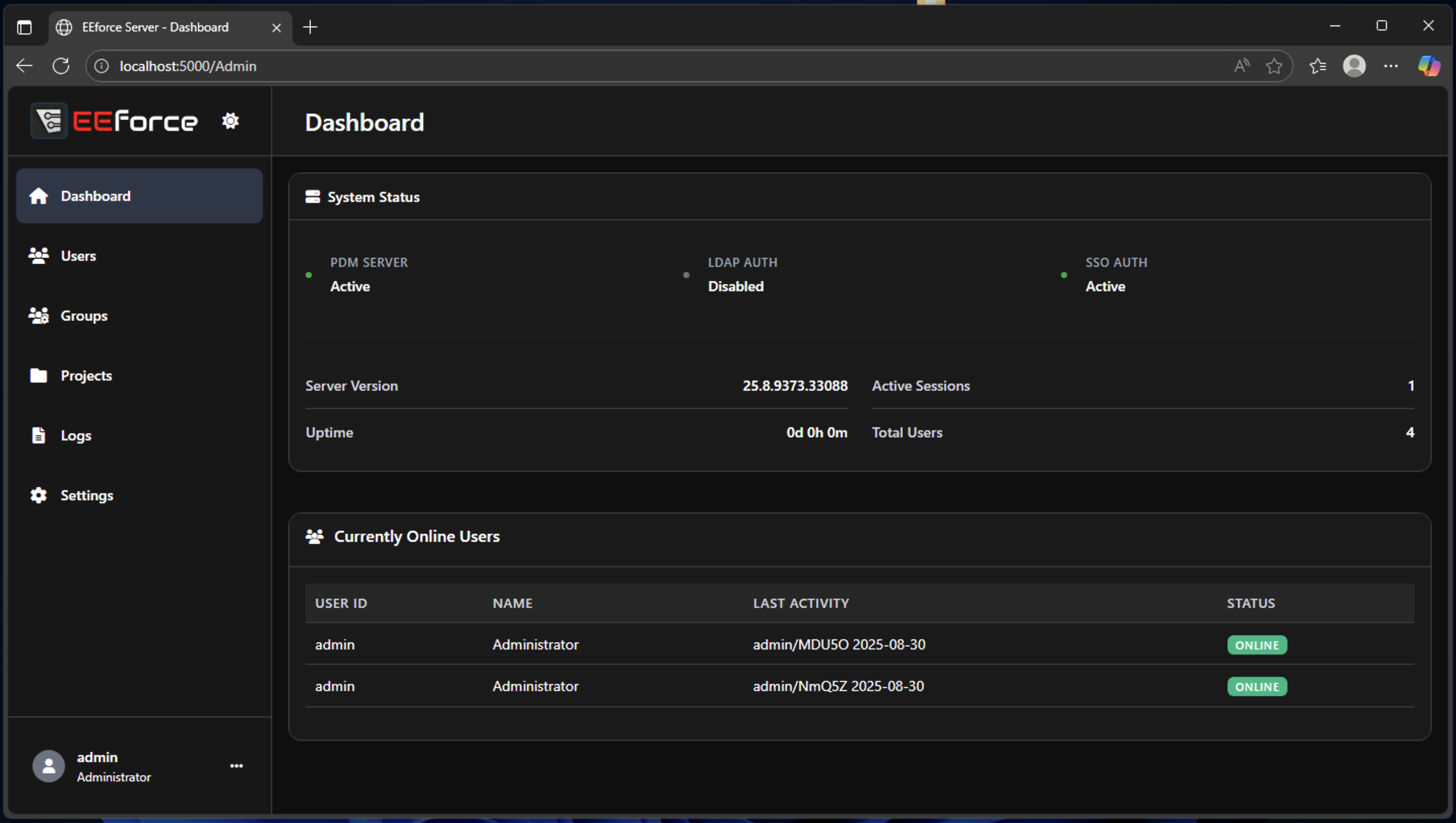
Previously, system administrators managed EEforce primarily through the Client application or by directly editing configuration files. With this release, we are pleased to introduce a modern Web Interface that provides administrators with an intuitive and user-friendly experience. The interface currently focuses on four main areas:
- User and Group Administration
- Project Access Management
- System Configuration
- Log Monitoring
The web interface is currently in Beta. While the existing client-side interfaces remain available, we encourage users to adopt the Web UI and use the legacy interfaces only as a fallback. Please note that the legacy interfaces will be deprecated in future releases.
OIDC 2.0-Compliant Single Sign-On (SSO) Support
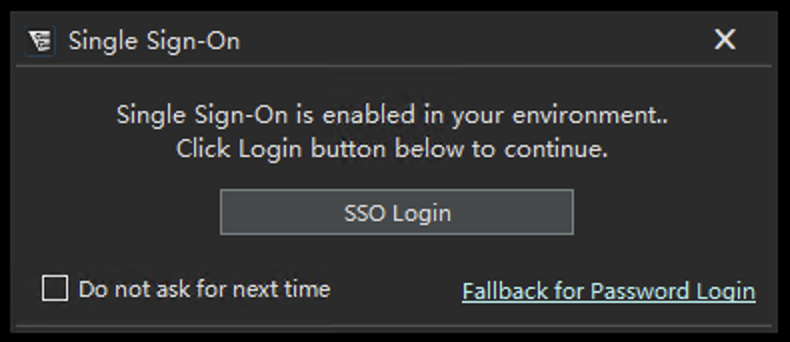
EEforce now supports OIDC 2.0-compliant Single Sign-On (SSO), enhancing both security and user convenience. Users can now authenticate using their existing credentials from supported identity providers, streamlining the login process and centralizing authentication.
When enabled, users are presented with an SSO login dialog, with the option to fall back to the standard login dialog. Selecting the SSO option redirects users to the configured identity provider for authentication. Upon successful authentication, users are automatically redirected back to the EEforce Client and logged in.
EEforce Client Embedded in Server Installation with Auto-Update
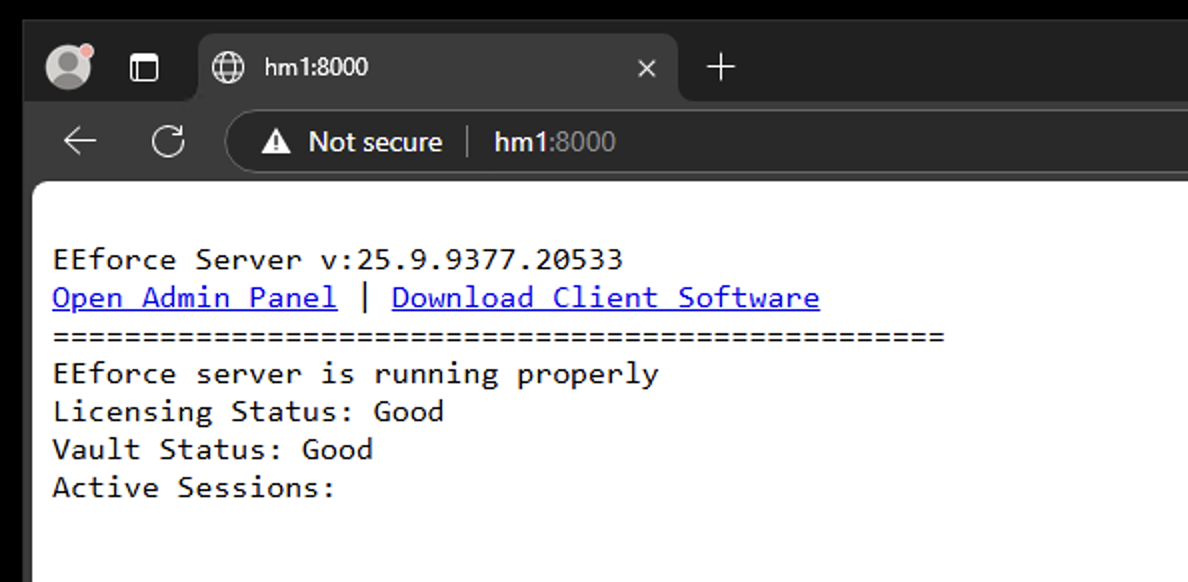
To improve user experience, the EEforce Client is now included directly within the server installation package. Users can simply navigate to the server URL in their browser and download the latest client version with a single click. Additionally, an auto-update mechanism ensures that the client remains synchronized with the server version. When administrators update the server, clients running older versions will automatically detect and install the latest version without requiring user intervention.
Performance Improvements
EEforce has always prioritized speed and reliability. In this release, we have implemented several backend optimizations to further enhance performance and stability, particularly in low-bandwidth environments. These improvements ensure a smoother and more reliable experience for all users.